Bugs & Updates
Known bugs, glitches, and update information — workarounds, reporting, and patch notes.
Quick Tips
Why This Matters
As an Alpha game, Survive 7 Days In Arctic has known bugs that can affect gameplay. Understanding which bugs exist, their workarounds, and how to report them helps you avoid frustration and contributes to making the game better for everyone.
Key Data
| Bug / Issue | Status | Workaround | Severity |
|---|---|---|---|
| Temperature Glitch | Known | Keep fire lit; avoid rapid zone transitions | High |
| Resource Respawn Bug | Known | Gather from multiple spawn points | Medium |
| Fire Extinguish Bug | Known | Stockpile extra fuel; refuel proactively | High |
| Crash on Save | Reported | Save before risky actions | Medium |
Mechanics Deep Dive
Current Alpha Status: The developer explicitly warns that Survive 7 Days In Arctic is new and players should expect bugs. The game launched May 30, 2026 and is still in active development. This means mechanics can change between updates, some features may be incomplete, and certain interactions may not work as intended. Treat all in-game data as potentially unstable.
Known Bug Categories: The major bug categories are temperature glitches (body temperature drops unexpectedly), resource respawn problems (collected items may not reappear on their timer), fire bugs (campfires or stoves may extinguish without warning), and collision bugs (players may clip through terrain or objects). Each category has varying severity and different workarounds.
Update Cadence: 10K Steps updates the game periodically — the last update was July 5, 2026, roughly 5 weeks after launch. Patch sizes vary from small hotfixes addressing critical bugs to larger content updates. There is no fixed update schedule, so join the 10K Steps group on Roblox for announcements.
Bug Reporting: To report a bug, go to the 10K Steps group page on Roblox. Include a clear description of the bug, what you were doing when it occurred, whether it's reproducible, and any screenshots or video. Detailed reports help the developer fix issues faster. Common bugs you encounter are likely already known, but new bug discoveries help everyone.
Frequently Asked Questions
What are the known bugs?▾
How do I report a bug?▾
When are updates released?▾
What should I do if a bug kills my character?▾
Key Decisions
Report bugs or play through them?
Report bugs — helps the developer improve the game
Play through — saves time, focus on survival
Report bugs after your survival run. Taking notes during gameplay can distract from survival — write down the bug details after you're safe. Every report helps the game improve for future sessions.
Wait for patch or adapt to the bug?
Wait for patch — play less until fixed
Adapt now — learn workarounds and keep playing
Adapt with workarounds. Patches can take days or weeks. Learning to work around known bugs (like gathering from multiple spawn points) keeps you playing effectively while waiting for fixes.
Avoid glitch areas or exploit them?
Avoid — play safe, no risk of crash or data loss
Exploit — use glitches for advantage
Avoid known glitch areas. Exploiting bugs risks game crashes and lost progress — far worse than any temporary advantage. Report the glitch instead and play in stable areas of the game.
⭐ Bugs & Updates

Survive 7 Days In Arctic Known Bugs, Glitches, and Workarounds
Survive 7 Days In Arctic is currently in Alpha — expect bugs. Learn about known issues, workarounds, and how to avoid game-breaking glitches during your survival run.
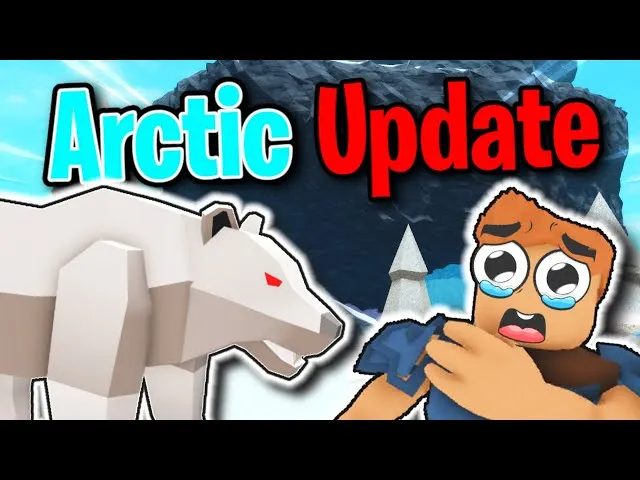
Survive 7 Days In Arctic Developer Info — 10K Steps and Update History
Learn about the developer behind Survive 7 Days In Arctic. 10K Steps is a verified Roblox group that created this Arctic survival experience. Track update history and community news.

Survive 7 Days In Arctic Performance Tips — Fix Lag, FPS Drops, and Connection Issues
Experiencing lag or FPS drops in Survive 7 Days In Arctic? Learn how to fix performance issues, reduce lag, and improve your gameplay experience across all platforms.
Bugs & Updates
(2)
Survive 7 Days In Arctic Update Log and Patch Notes — All Changes Tracked
Complete update log for Survive 7 Days In Arctic. Track every patch, balance change, bug fix, and new feature added to the Roblox Arctic survival game by 10K Steps.

Survive 7 Days In Arctic Alpha Issues and Practical Solutions — Navigating Early Access Bugs
Learn practical workarounds for the most common bugs in Survive 7 Days In Arctic. Avoid temperature glitches, fire bugs, and resource respawn issues with proven strategies for the current Alpha build.